MAC APP
Audiobook Converter
by Sir Doug Fir Audiobooks
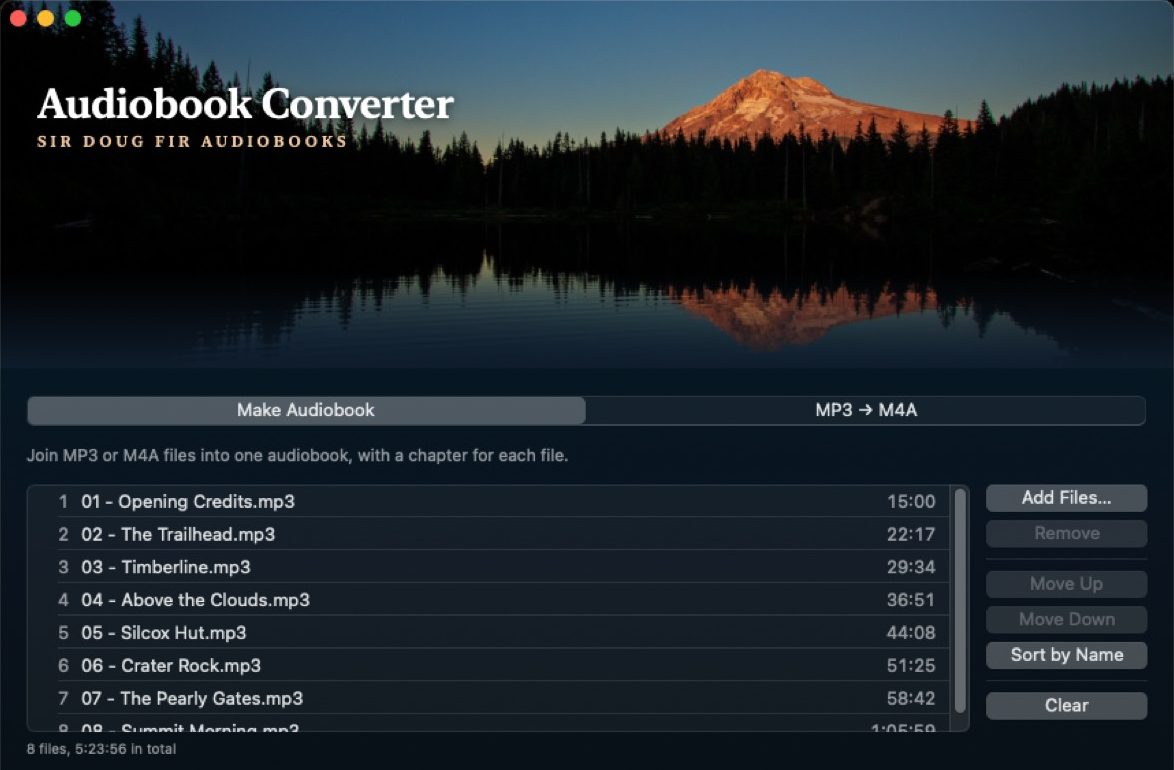
Got an audiobook that came as a pile of separate chapter files? Audiobook Converter combines them into one book, with every chapter marked, so it plays straight through and you can still skip between chapters. Or combine several audiobooks into one file, one chapter per book. It also converts MP3 files to M4A, all on your own Mac.
macOS 13 Ventura or later
What it does
Make Audiobook
Combine an audiobook’s separate chapter files (MP3 or M4A) into one M4B book. Each file becomes a chapter, and you can add the title, author and cover art. Apple Books and Audiobookshelf show the chapters.
MP3 → M4A
Convert MP3 files to M4A one by one, keeping their tags. Add one cover image to all of them if you like.
The details
- Built with privacy in mind
- Everything stays on your Mac. The app has no accounts, no tracking and no internet access, so your files never leave your computer.
- Works with your audiobook apps
- The M4B and M4A files it makes play in Apple Books, Audiobookshelf, BookPlayer, Plex with Prologue, Smart AudioBook Player on Android, and VLC, chapters included.
- You pick the order
- Sort by name (Chapter 2 comes before Chapter 10), or move files up and down yourself.
- Quality you choose
- 64, 96, 128 or 192 kbps.
It works with DRM-free audio. Protected Audible files (.aa and .aax) can’t be opened.
Help
Questions, bugs or ideas: email [email protected].
Privacy policy · The banner photo of Mount Hood is mine.